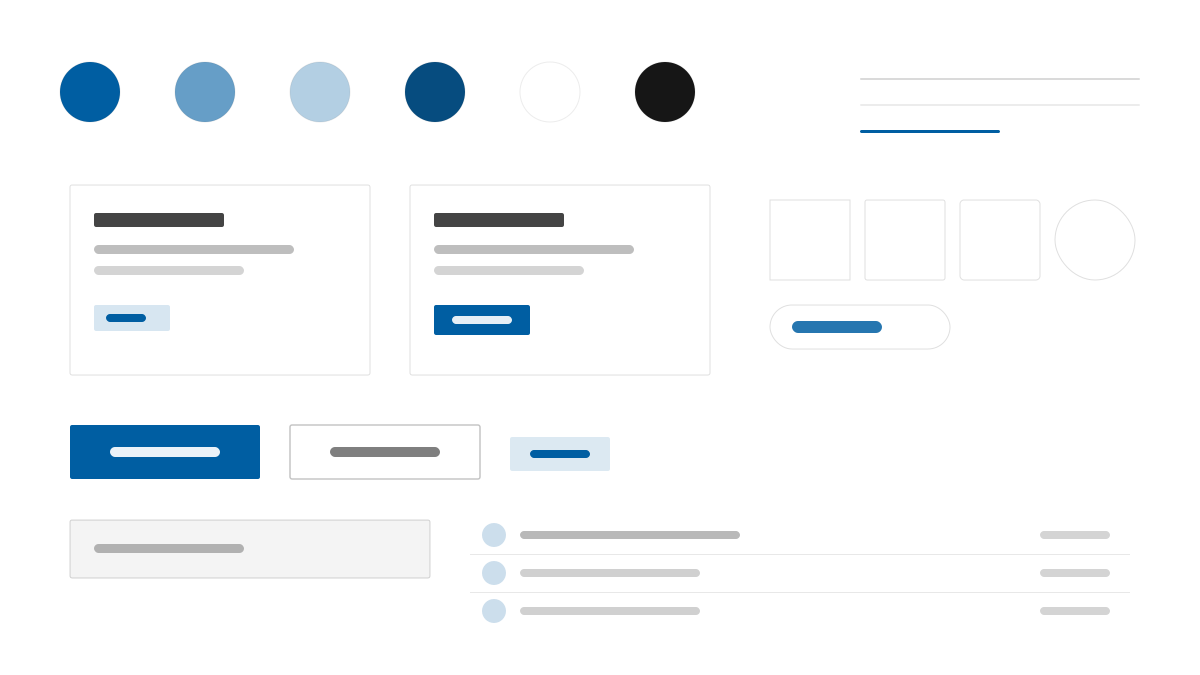
USWDS is the official design system of the U.S. federal government, where readability and accessibility come before everything: deep blue #005EA2 carries links and primary actions, Public Sans with 16px body text keeps long-form reading comfortable, and 2px radii with high-contrast borders make forms, alerts, and step navigation clear and trustworthy in public-service scenarios.
U.S. Web Design SystemDesign System
Prompt Template
Base Template
Design a USWDS-inspired government interface. - Deep blue #005EA2 primary on a white canvas; - Public Sans typography with 16px body text; - 2px radii, #DFE1E2 hairline borders, #1B1B1B ink; - Accessible forms, alerts, and step navigation; - Plain, high-contrast public-service layouts. Colors: #005EA2, #FFFFFF, #DFE1E2, #1B1B1B with #005EA2 accent. Typography: Public Sans.
Variant Prompts
📱 Mobile
Design a mobile app with USWDS aesthetics. Use USWDS color identity with #005EA2 accents. Clean, touch-friendly, native feel.
💻 Web
Design a web application with USWDS style. Use USWDS color identity with #005EA2 accents. Professional, responsive layout.
📊 Dashboard
Design a dashboard with USWDS design language. Use USWDS color identity with #005EA2 accents. Data-rich, organized, clear hierarchy.
📄 Landing Page
Design a landing page with USWDS visual identity. Use USWDS color identity with #005EA2 accents. Compelling, conversion-focused.
Usage Examples
USWDS Benefits Application
WebBuild a benefits application form with USWDS style: deep blue #005EA2 primary, Public Sans, 2px radii, step indicator, and accessible inline validation.
USWDS Service Portal
LandingDesign a government service portal with USWDS aesthetics: high-contrast hero, plain-language cards, alert banners, and clear step-by-step navigation.
✅ Best For
- Government and public services
- Accessibility-first projects
- Healthcare and education platforms
❌ Avoid For
- Trend-driven consumer brands
- High-saturation entertainment products
DESIGN.md File
A design system description in the open design.md format. Copy or download it and hand it to AI coding tools.