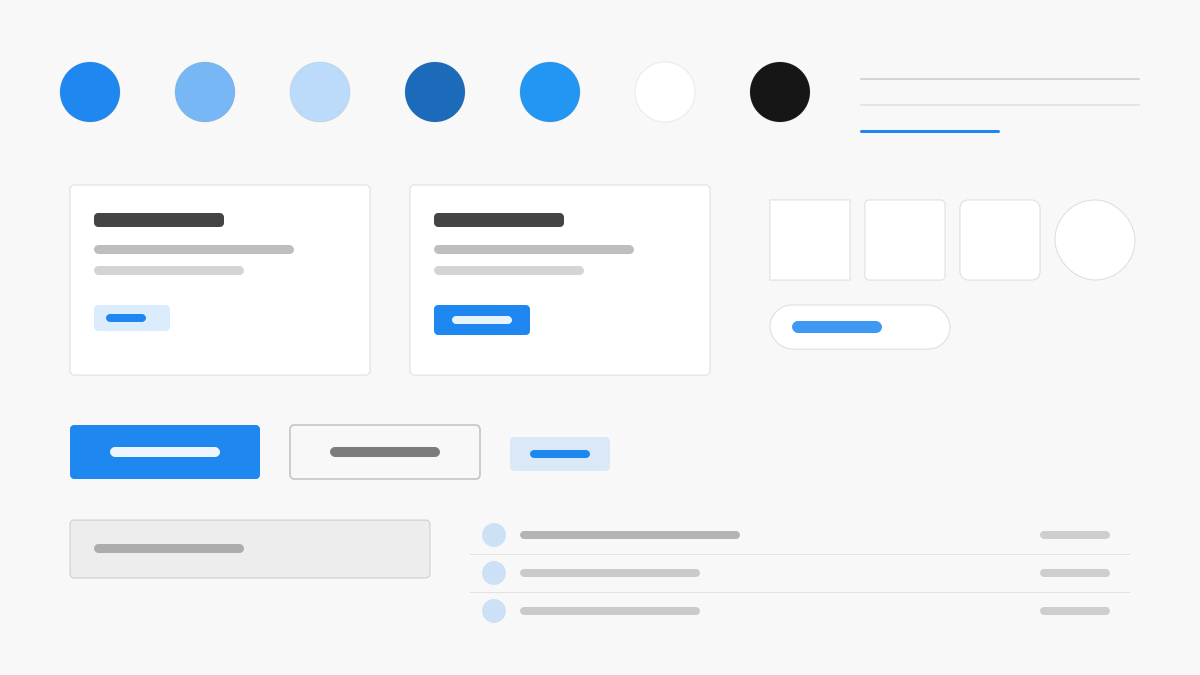
UIkit is the lightweight, modular front-end framework built around taking only what you need: primary blue (#1E87F0) over #F8F8F8 section surfaces and #222 text, 4px radii, and component classes — .uk-card, .uk-navbar, .uk-button — covering common structures, with utility classes, Flex/Grid support, and smooth animations. Balanced, content-first layouts for sites, docs, and lightweight web projects.
UIkitFramework
Prompt Template
Base Template
Design a UIkit-inspired interface. - Lightweight modular front-end framework; - #1E87F0 primary with #F8F8F8 section surfaces and #222 text; - 4px radii, .uk-card/.uk-navbar/.uk-button components; - Utility-first classes, Flex/Grid support, and smooth animations; - Balanced, content-first layouts for products and docs. Colors: #1E87F0, #F8F8F8, #222222, #999999 with #1E87F0 accent. Typography: system-ui.
Variant Prompts
📱 Mobile
Design a mobile app with UIkit aesthetics. Use UIkit color identity with #1E87F0 accents. Clean, touch-friendly, native feel.
💻 Web
Design a web application with UIkit style. Use UIkit color identity with #1E87F0 accents. Professional, responsive layout.
📊 Dashboard
Design a dashboard with UIkit design language. Use UIkit color identity with #1E87F0 accents. Data-rich, organized, clear hierarchy.
📄 Landing Page
Design a landing page with UIkit visual identity. Use UIkit color identity with #1E87F0 accents. Compelling, conversion-focused.
Usage Examples
UIkit Docs Site
WebBuild a documentation site with UIkit style: sticky navigation, content cards, and #1E87F0 accents.
UIkit Product Landing
LandingCreate a product landing page with UIkit design language: hero section, feature grids, and smooth scroll animations.
✅ Best For
- Lightweight sites
- Documentation
- Modular builds
❌ Avoid For
- React or Vue component ecosystem projects
- Deeply customized design systems
DESIGN.md File
A design system description in the open design.md format. Copy or download it and hand it to AI coding tools.