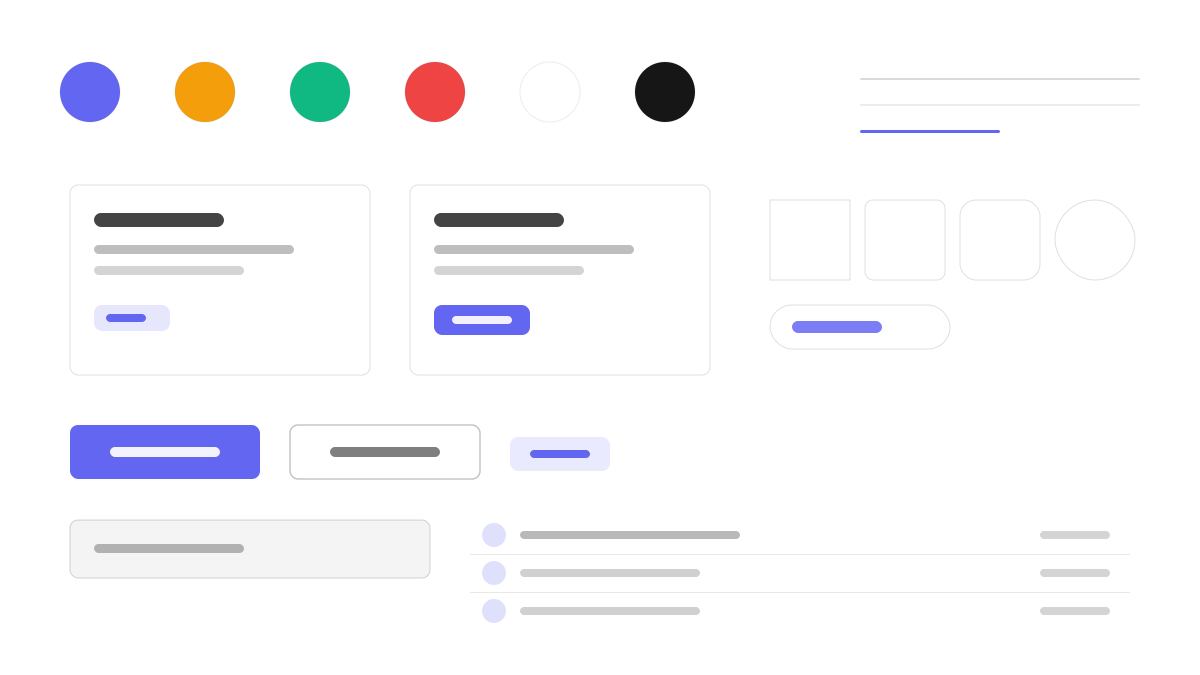
Ripple UI is the pure-CSS semantic component framework with a minimal, cold aesthetic — same lane as daisyUI with a far smaller footprint. No JavaScript is required, component classes plug straight into Tailwind as a plugin, the palette stays restrained and the lines stay clean, and dark mode switches through CSS custom properties. Made for bundle-sensitive, cool-toned content and tool projects.
DeveloperMinimal
Prompt Template
Base Template
Design a Ripple UI-inspired interface. - Pure CSS semantic components: no JavaScript required; - Minimal, cold aesthetic with restrained color palette; - Tailwind CSS plugin for seamless integration; - Ultra-lightweight: minimal bundle size impact; - Dark mode support with CSS custom properties. Colors: #6366F1, #10B981, #F59E0B, #EF4444 with #6366F1 accent. Typography: system-ui.
Variant Prompts
📱 Mobile
Design a mobile app with Ripple UI aesthetics. Use Ripple UI color identity with #6366F1 accents. Clean, touch-friendly, native feel.
💻 Web
Design a web application with Ripple UI style. Use Ripple UI color identity with #6366F1 accents. Professional, responsive layout.
📊 Dashboard
Design a dashboard with Ripple UI design language. Use Ripple UI color identity with #6366F1 accents. Data-rich, organized, clear hierarchy.
📄 Landing Page
Design a landing page with Ripple UI visual identity. Use Ripple UI color identity with #6366F1 accents. Compelling, conversion-focused.
Usage Examples
Ripple UI Web App
WebBuild a web app with Ripple UI design language, semantic CSS classes, and #6366F1 color system.
Ripple UI Dashboard
DashboardCreate a dashboard using Ripple UI style with minimal components and Tailwind CSS.
✅ Best For
- Framework
- Lightweight projects
- CSS-only solutions
❌ Avoid For
- Complex interactive component needs
- Non-Tailwind projects
DESIGN.md File
A design system description in the open design.md format. Copy or download it and hand it to AI coding tools.