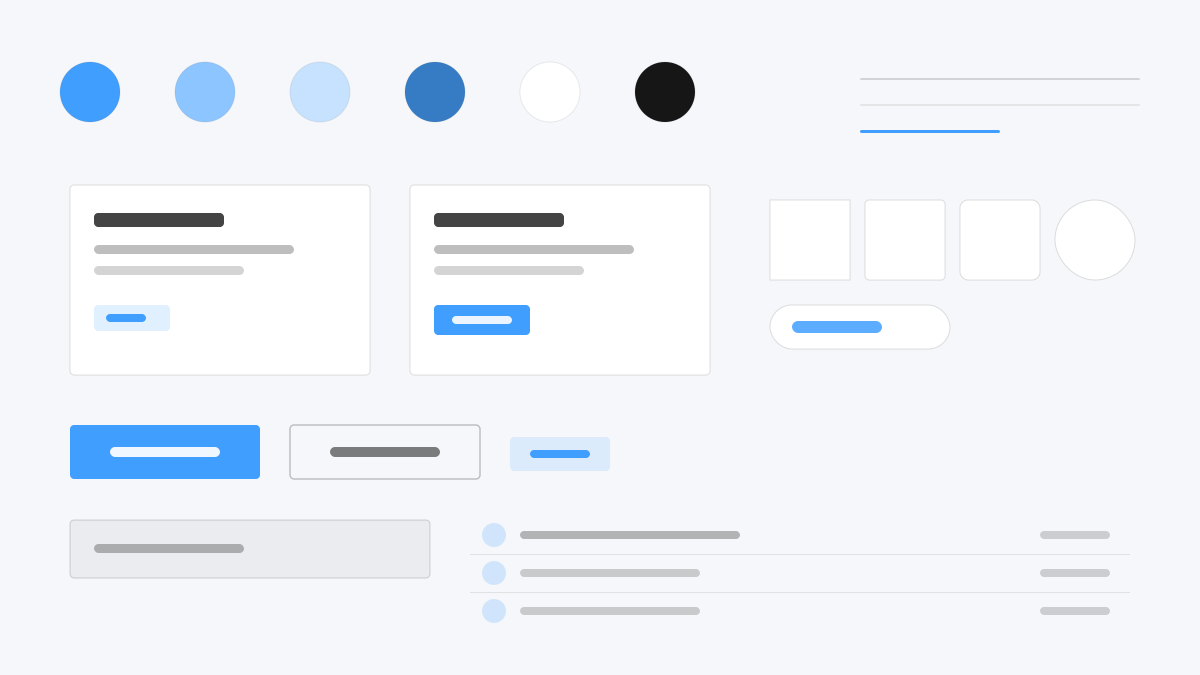
Element Plus is the most mature enterprise component library for Vue 3: el-table, el-form, and el-dialog cover the full back-office spectrum. Primary blue (#409EFF) spawns nine light steps for hover and disabled states, radii stay at 4px with 1px #DCDFE6 borders and compact 32px controls, and form validation plus table sorting and filtering are precision-built. Made for admin platforms and data-dense business UIs.
Element PlusFramework
Prompt Template
Base Template
Design an Element Plus-inspired interface. - Vue 3 enterprise components: el-table, el-form, el-dialog; - #409EFF primary with 9-step light shades for hover and disabled states; - 4px radii, 1px #DCDFE6 borders, compact 32px default controls; - Precise form validation states and table sorting/filtering; - Dense back-office screens with clear hierarchy. Colors: #409EFF, #DCDFE6, #F5F7FA, #303133 with #409EFF accent. Typography: system-ui.
Variant Prompts
📱 Mobile
Design a mobile app with Element Plus aesthetics. Use Element Plus color identity with #409EFF accents. Clean, touch-friendly, native feel.
💻 Web
Design a web application with Element Plus style. Use Element Plus color identity with #409EFF accents. Professional, responsive layout.
📊 Dashboard
Design a dashboard with Element Plus design language. Use Element Plus color identity with #409EFF accents. Data-rich, organized, clear hierarchy.
📄 Landing Page
Design a landing page with Element Plus visual identity. Use Element Plus color identity with #409EFF accents. Compelling, conversion-focused.
Usage Examples
Element Plus Admin
DashboardBuild an admin dashboard with Element Plus style: el-table with filters, el-form validation, and #409EFF accent color.
Element Plus Form Flow
WebCreate a multi-step form flow with Element Plus design language: el-steps, validated inputs, and dialog confirmations.
✅ Best For
- Vue 3
- Enterprise back-office
- Form-heavy workflows
❌ Avoid For
- React tech stack projects
- Lightweight minimal small pages
DESIGN.md File
A design system description in the open design.md format. Copy or download it and hand it to AI coding tools.